Creating a home office that is both cozy and functional is essential for anyone working remotely or managing tasks at home. A well-designed space can improve focus, reduce stress, and make your workday more enjoyable. Whether you have a dedicated room or just a small corner, these tips will help you build an office space that suits your needs.
Choose the Right Location
Selecting the best spot for your home office is the first step. Ideally, look for a quiet area with minimal distractions. If possible, pick a space near natural light, as sunlight can boost your mood and productivity. Avoid high-traffic areas like the kitchen or living room unless that’s your only option.
Maximize Natural Light
Place your desk near a window to benefit from daylight. If direct sunlight causes glare on your computer screen, try using sheer curtains or repositioning your desk slightly away from direct rays.
Invest in Ergonomic Furniture
Comfort is key in a home office. An ergonomic chair supports your back and reduces strain during long hours, while an adjustable desk can help you alternate between sitting and standing.
– Choose a chair with adjustable height and lumbar support
– Ensure your desk has enough surface area for your essentials
– Use a monitor stand to keep your screen at eye level
Organize with Purpose
A cluttered workspace can negatively affect your focus. Organizing your office with smart storage options helps keep everything in its place and promotes efficiency.
Storage Solutions
– Use shelves or cabinets to store books, supplies, and paperwork
– Desk organizers can keep small items like pens, clips, and notes tidy
– Consider cable management tools to keep wires out of sight
Add Personal Touches
Your home office should be inviting. Adding elements that reflect your style can make the space more enjoyable and comfortable.
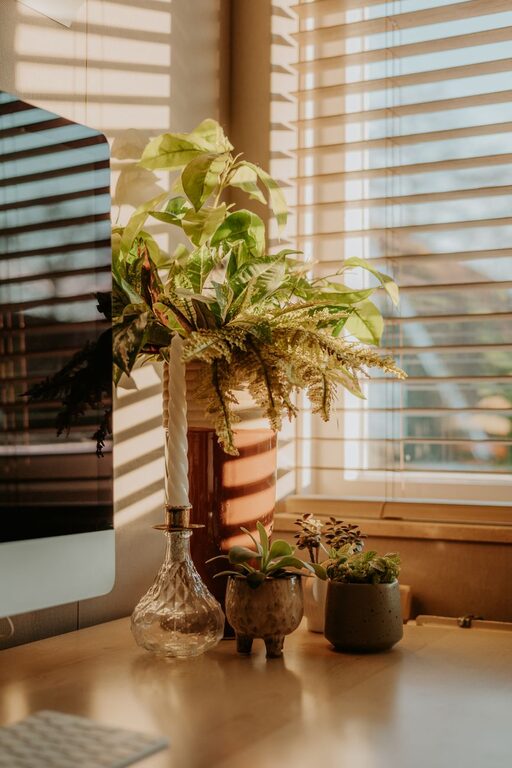
– Include plants to add greenery and improve air quality
– Display artwork or photos that inspire you
– Use cozy textiles like cushions or a throw blanket for added warmth
Optimize Lighting
Good lighting reduces eye strain and creates a welcoming atmosphere. Combine ambient lighting with task lighting for the best results.
– Use a desk lamp with adjustable brightness for focused work
– Add soft, warm lights elsewhere in the room to avoid harshness
Incorporate Technology Wisely
Keep your tech setup simple and efficient to avoid distractions.
– Invest in a reliable computer and fast internet connection
– Use wireless devices to reduce clutter
– Regularly maintain your equipment to avoid disruptions
Establish Boundaries
Separating work from personal life is vital, especially when working from home.
– Use a room divider or curtain if your workspace is in a shared area
– Set specific work hours and communicate them to household members
– Keep work materials out of sight when not in use to mentally switch off
Maintain Cleanliness
A tidy office improves your mood and productivity. Make it a habit to clean and organize your space regularly.
– Schedule weekly cleanups
– Remove unnecessary items periodically
– Use cleaning wipes to keep surfaces dust-free
Bonus: Incorporate Comfort Features
Small additions can make a big difference in comfort.
– A small fan or heater helps regulate temperature
– Noise-cancelling headphones reduce distractions in noisy environments
– A soft rug can add warmth and reduce sound echoing
—
Designing a cozy and functional home office space is about balance—combining comfort with organization and personalization with practicality. With these tips, you can create a workspace that invites productivity and makes work feel less like work. Take your time to experiment with layouts and accessories until you find what works best for you. Happy working!